Join or claim your band
Get started yourself or take over a profile a venue added.
Whether you found GigFellas yourself or a venue invited you, start with the profile for your band. Claiming a profile is free, needs no card details and does not accept a gig offer.
Join without an invitation
- Choose Find your band profile on the signup page. Search by band name and area to check whether a venue has already added you.
- If your band is listed and unclaimed, open its profile and choose the claim option. You can request a private link sent to the band’s booking contact.
- If you need a new account, enter Your full name, your email and a password. Your full name is your own name; you’ll enter the band name separately.
- Verify your email, choose Band when asked how you’ll use GigFellas, and follow the profile search or creation steps. Review similar bands before continuing with a new profile.
Use a venue’s invitation
- Open the private link in your invitation email. Check that the band name is yours.
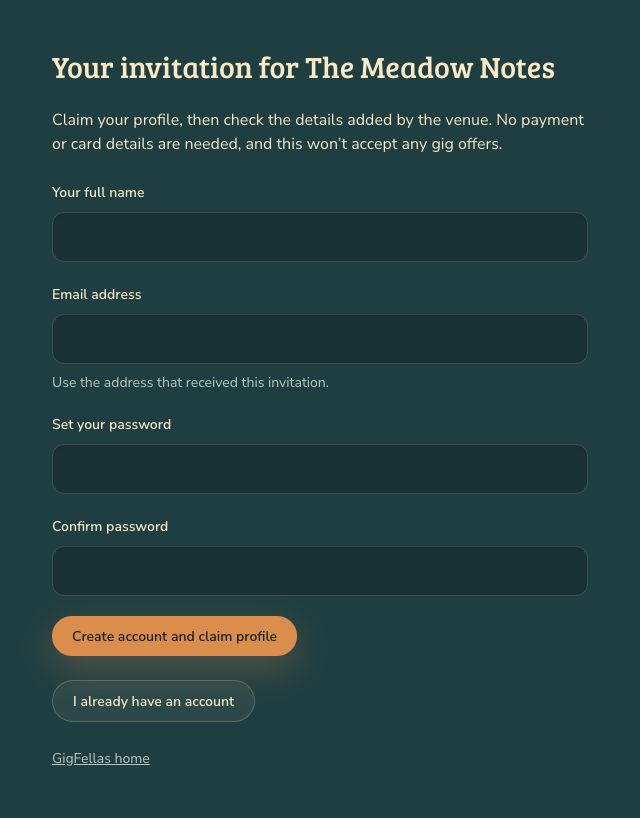
- Create an account using the email address that received the invitation, or choose I already have an account and sign in with that address.
- Choose Create account and claim profile or Claim this band profile, as shown.
- Review the details the venue added, choose your availability, read the terms and choose Save and continue.
You now manage that band’s profile. Review any gig offer separately before accepting it.
If the link or account does not work
For an expired invitation, choose Email a fresh link. Use your latest email. A used link or changed contact may require help from GigFellas.
If you’re signed in with the wrong email, choose Sign out and use another account. If your account already manages a band or venue, contact us to connect the profile safely. One account cannot manage several bands, and profiles are not automatically merged.
You can also sign in and use Find your band profile to see profiles linked to your verified email. If you cannot access the booking contact’s inbox, contact us with your band’s website or social page and your role in the band.
Keep your invitation link private. If an unexpected email worries you, type gigfellas.com into your browser and find your band there, or contact us using the address shown on the site.