Manage your bookings
Find agreed details, request changes and get help with a gig.
Before you start, open your confirmed gig from Bookings or its email link. This is where you’ll find the agreed details.
Get ready for the gig
- Check the date, venue address, times, fee and gig brief.
- Use Booking contacts to contact the venue and arrange arrival and payment.
- After the performance has ended, choose Mark gig completed and confirm that it took place.
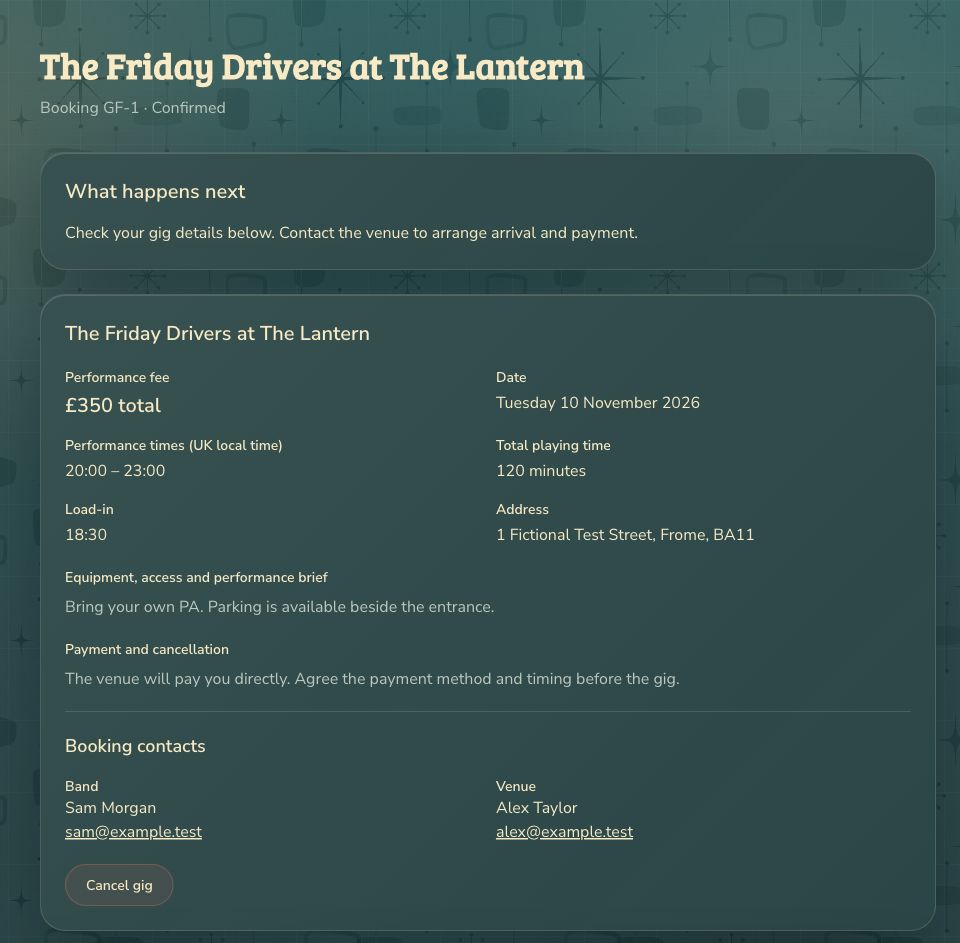
The venue will pay you directly. GigFellas does not collect or pass on your performance fee.
Agree a change
Choose Request changes, enter your proposed details, explain the reason and choose Send change request. The gig stays confirmed on its existing terms while you wait for the venue to respond. You can withdraw your pending request.
If the venue requests a change, open the booking and review it. Choose Approve proposed changes to accept the new details or Keep original details to decline them. Approved changes appear in your agreed booking details.
If you cannot play
- Contact the venue as soon as possible.
- Open the booking, choose Cancel gig and tell the venue why.
- Review the warning, choose Cancel gig now and confirm.
The venue is notified and the date is reopened so they can look for a replacement. Your agreed cancellation terms still apply. The cancelled booking keeps its details for reference.
Confirmed bookings make their dates unavailable for other gigs. Changing your availability does not cancel a booking. Keep dates you cannot play reflected in your availability after a cancellation too.
Get help
If there was a problem with the gig, open Ask GigFellas for help, explain what happened and choose Send support request. The note goes to support and does not cancel the gig. Use the venue’s booking contact for arrival, payment and changes you need to agree directly.
If an old email opens a cancelled or completed booking, check the status before making plans. Its saved details are still available for reference.