Manage and share your profile
Help venues get to know you and share your public band page.
Before you start, sign in to the account that manages your band. Your public profile helps venues hear your music and decide whether you suit their gig.
Give venues the essentials
- Open your band profile from the menu.
- Enter your Band or act name, town or city, postcode and the Styles you play.
- Add your Minimum performance fee (£), a Performance video or audio link and your Maximum travel distance. Choose miles or kilometres using the switch.
- Add a short introduction if you like. Open Photo and booking contact (optional) to add a photo, contact details or additional cancellation terms.
- Read and accept the platform terms. Choose Save draft to keep working, or Publish profile when ready. For a newly claimed profile, use Save and continue. If your profile is already published, choose Save changes.
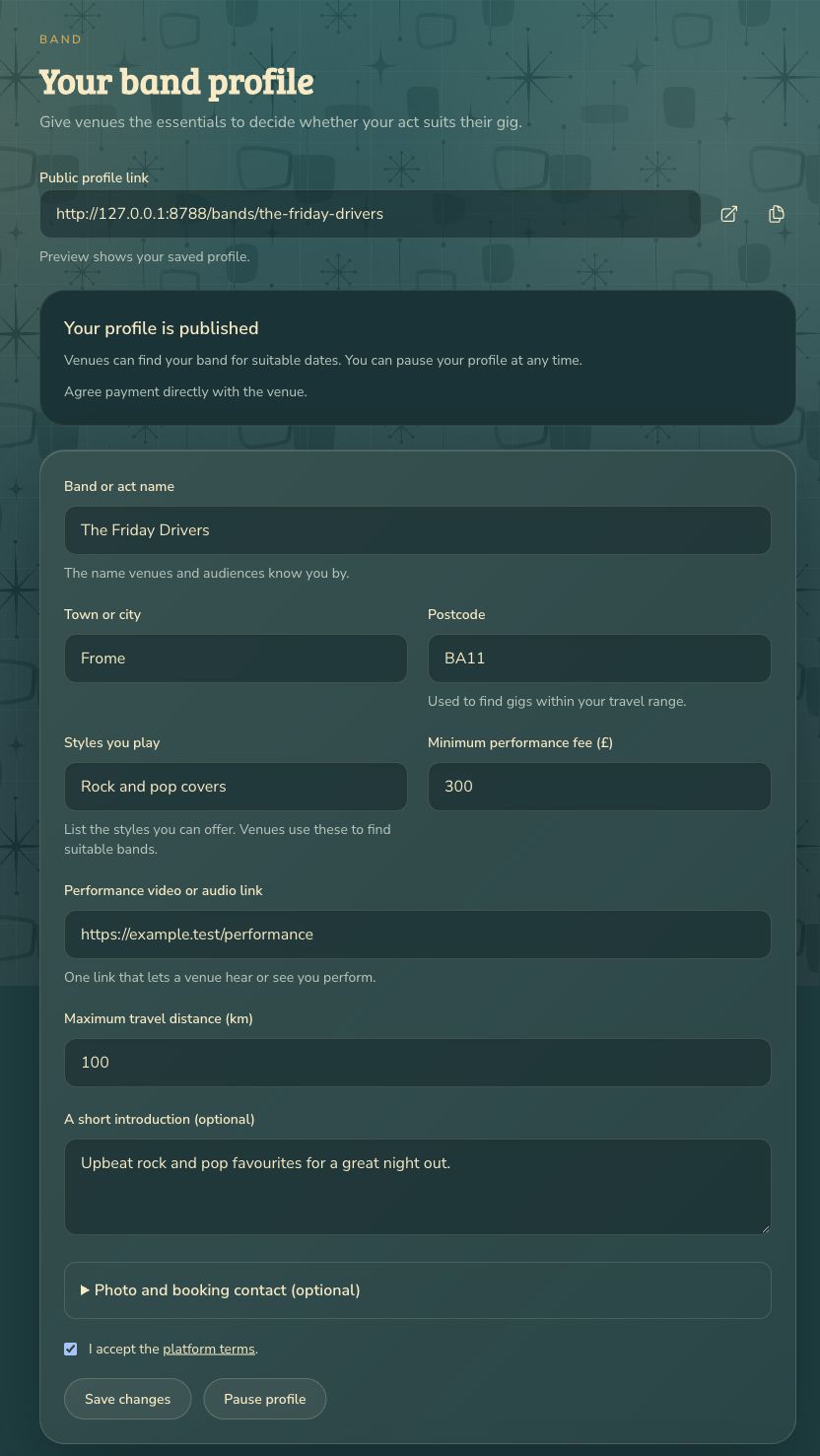
The Finish your profile panel lists anything still needed. Once your profile is published and ready, venues can find you for suitable dates. Keep your details and availability up to date.
Preview and share
- Save your changes before previewing.
- Use the preview icon beside Public profile link to open your saved profile in a new tab.
- Use the copy icon to copy the link, then share it with venues or on your social pages.

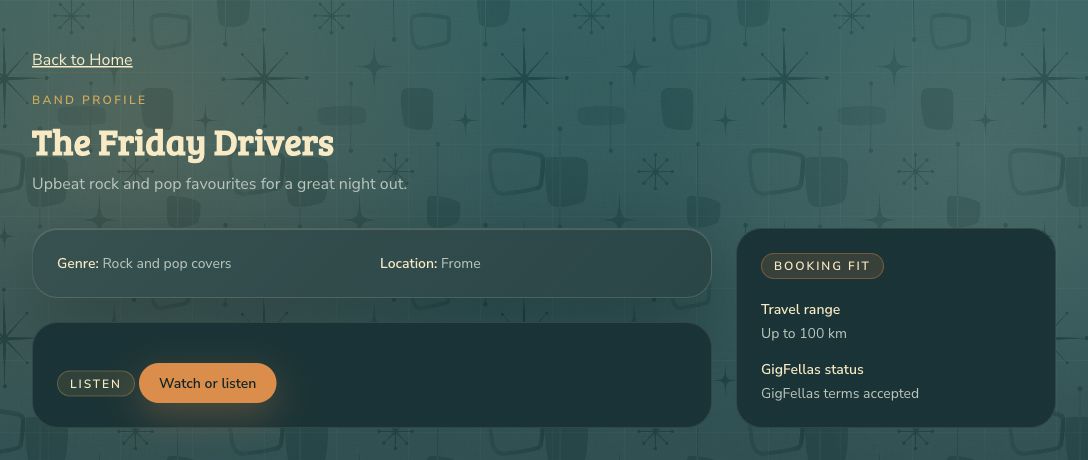
Publish before sharing so other people can see your profile. Your fee is visible to signed-in venues and the GigFellas team. If copying fails, select the link and copy it manually.
If something needs fixing
Correct any highlighted fields and try saving again. Use a full website address for your performance link. Photos must be JPG, PNG or WebP, no larger than 4 MB and no more than 4,000 pixels wide or tall.
If GigFellas finds a similar band, check it before confirming that yours is different. Contact us if you need help connecting an existing profile.
To take a break, choose Pause profile. Publish again when you want to be considered for new gigs. Existing agreed bookings still need your attention.