Respond to an offer
Review the gig, ask for changes or confirm your booking.
Before you start, sign in to the account that manages your band. An offer is a venue asking you to play; it becomes a booking when you accept.
Review the gig
- Open the offer from your email, activity or Offers.
- Check the venue and date, start and end times, fee, load-in time, playing time and any gig brief.
- Read the booking and cancellation terms. Use Ask about this offer if you need to check something with the venue.
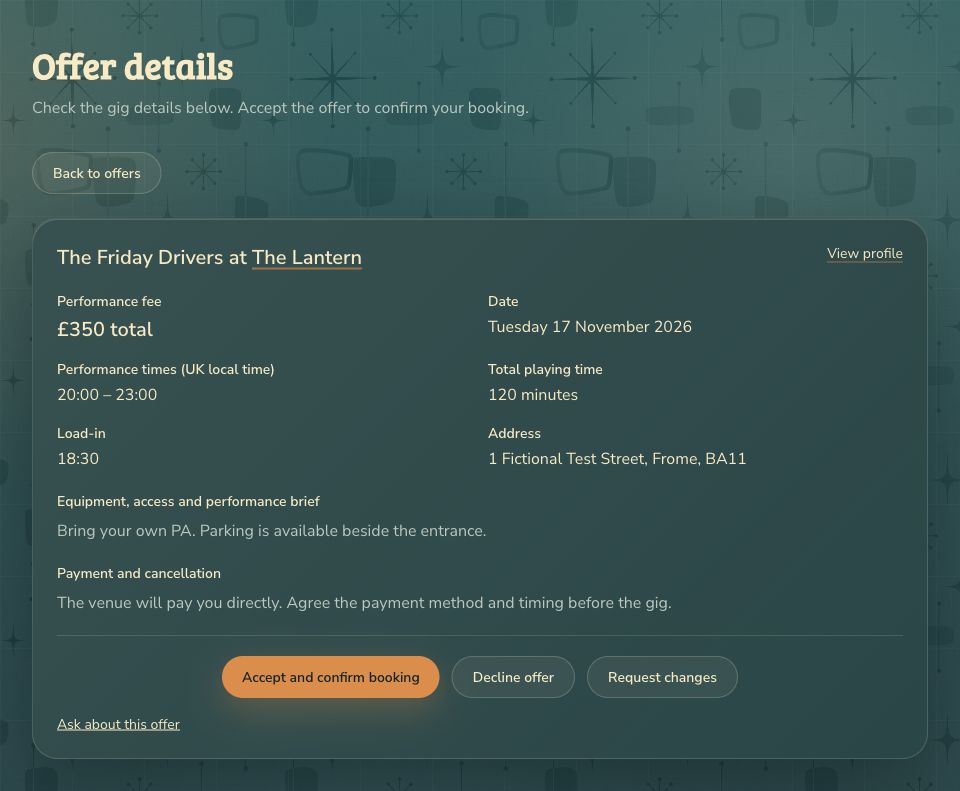
The venue will pay you directly. You do not need to buy a credit or enter card details to respond.
Accept, decline or ask for changes
- If you can play on the agreed terms, choose Accept and confirm booking. Your confirmed booking opens with the agreed details. You can find it again in Bookings.
- If you cannot do it, choose Decline offer and confirm. Reply promptly so the venue can find another band.
- If something needs changing, choose Request changes. Enter the proposed times, fee or other available details, explain why and choose Send change request.
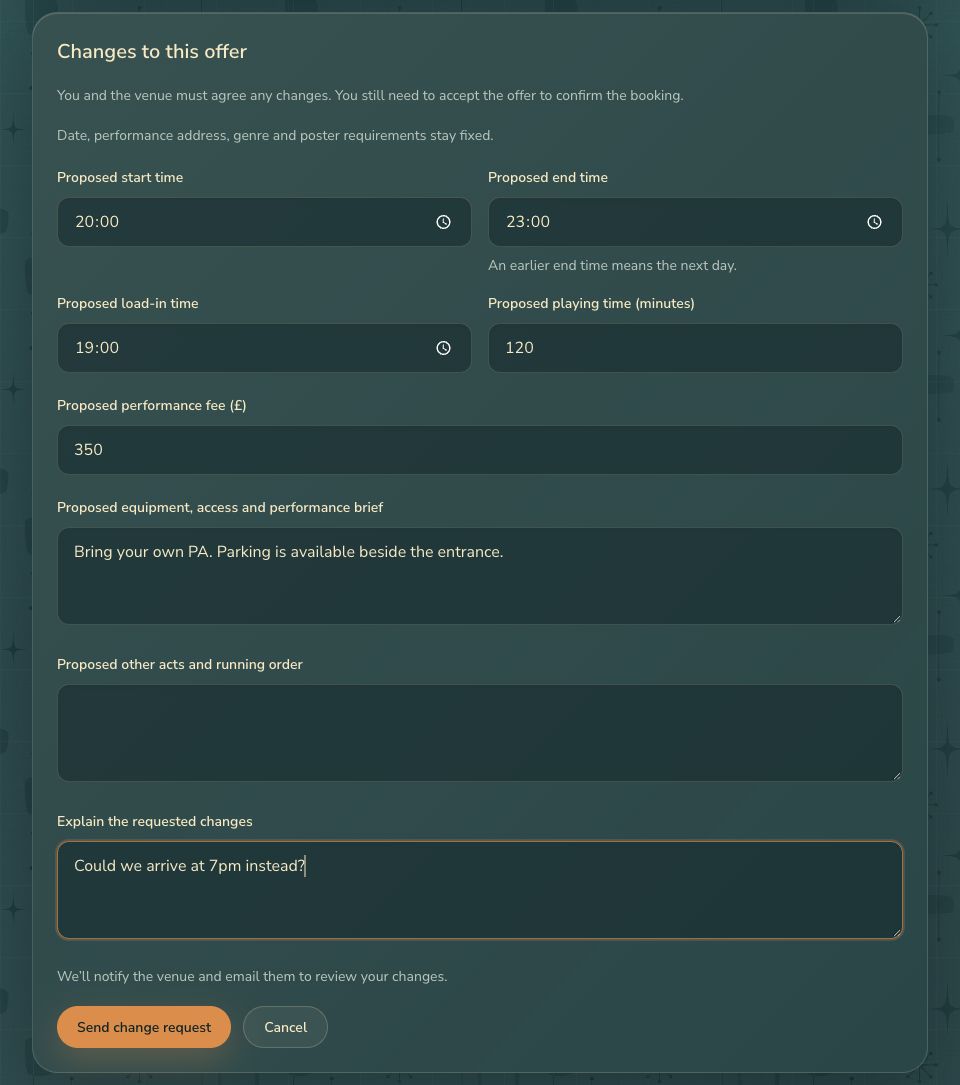
A change request does not confirm a gig. Wait for the venue’s response, then review the offer and accept it if you’re happy. While a request is pending, the existing details stay unchanged and acceptance is unavailable.
If the venue proposes a change, review it and choose Approve proposed changes or Keep original details. You still need to accept the offer to confirm the booking.
If you cannot accept
A withdrawn or closed offer cannot be accepted. Offers close when the gig starts. An old email may also lead to an offer that has changed or a date you can no longer play. Read the explanation on the page and return to your current offers. Do not try to work around an unavailable button.
If you arrived through a venue invitation, claim your profile and check its details before responding. Claiming alone does not accept the gig.
Next step
Once confirmed, manage your booking and arrange arrival.