Send an offer and use credits
Offer a gig, understand held credits and choose your next bands.
Before you start, choose the right venue and open a band from your date’s matches. Check the fee, times and gig details before sending an offer.
Send your first offer
- Choose Send offer to band on the band’s match page.
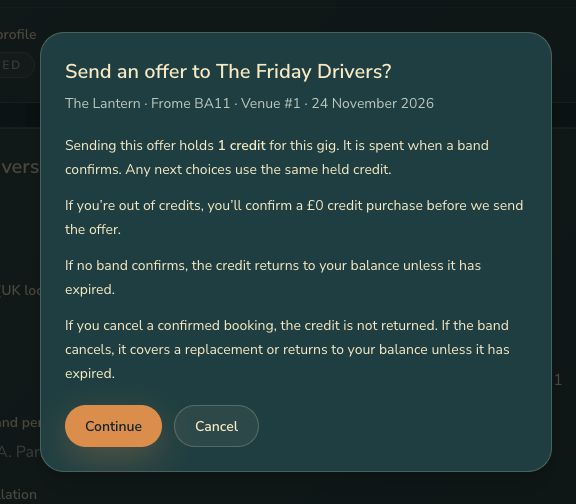
- Read the confirmation, including your gig details and the booking terms.
- Choose Continue to send the offer. The band is emailed and can accept, decline or request changes.
Your first choice gets the offer straight away. You can add other bands as your next choices using Add as 2nd offer and the following numbered buttons. Only one offer is active at a time. If a band declines or the offer closes, the next choice is offered the gig.
Understand your credits
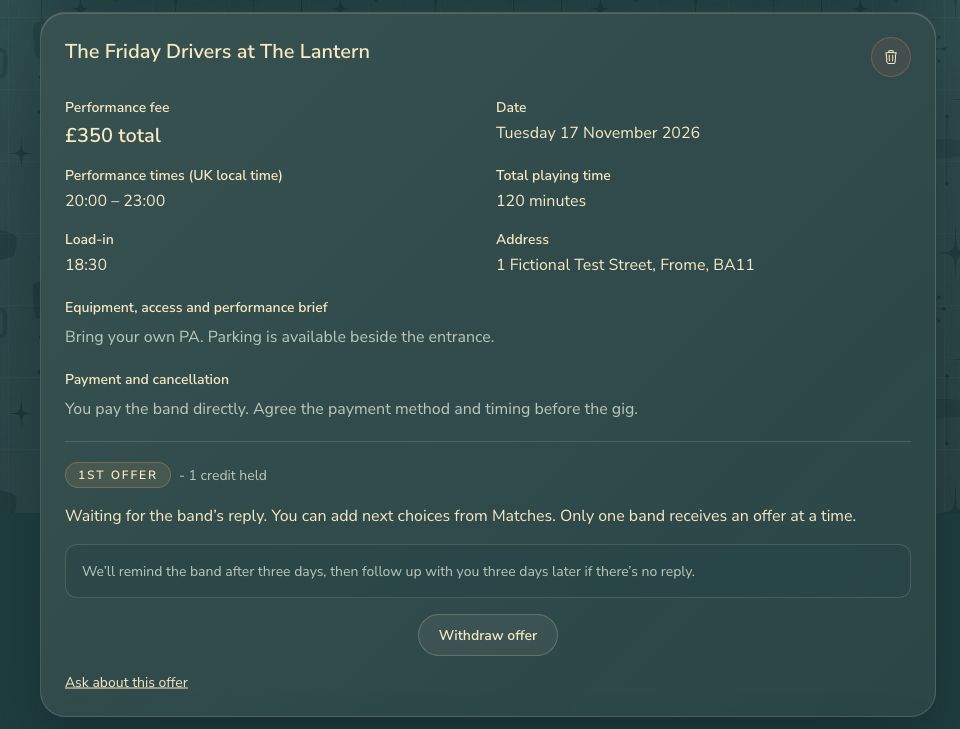
Sending an offer holds one credit. You’ll see 1 credit held beside the first offer. Your next choices use that same credit. It is spent when a band confirms the gig.
Each venue has its own balance. Venues in the free-credit postcode area receive three welcome credits once, plus one free monthly credit while their profile is published, active and ready for bookings. Venues outside that area can still publish and use purchased credits. Monthly credits expire at the end of that month. Welcome and purchased credits do not expire. Any expiry on pilot promotional credits is shown on the Credits page.
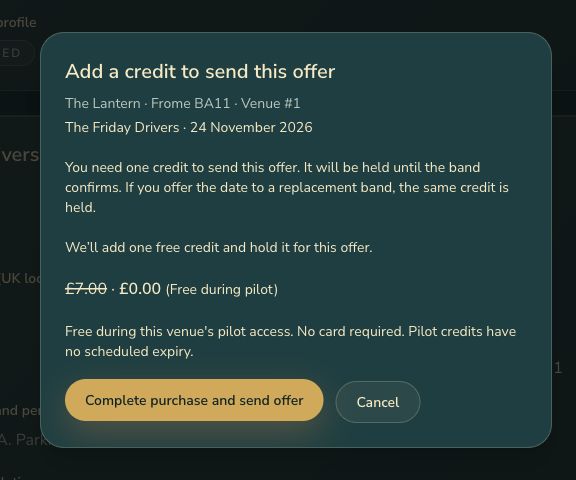
If you have no available credits during the free pilot, you’ll see a purchase dialog showing the planned £7 price crossed out and your price of £0. Choose Complete purchase and send offer to add one free credit and send the offer. No card is needed. Cancelling this dialog sends nothing. Free bulk packs are unavailable during the pilot.
Open Credits from the menu to see this venue’s available and held balances, credit history and any expiry dates.
While you wait
Check the offer page for replies and change requests. You can reorder or remove waiting choices there. If no band confirms, the held credit is returned unless it has expired. An offer reminder is sent after three days; you are notified if there is still no reply three days later.
Use Remind band when that button is available. To stop waiting, choose Withdraw offer and confirm. Your next available choice receives the offer; if none remain, the held credit returns unless it has expired.
An old email link may show a closed offer or an unavailable band. Read the explanation. If Refresh offer details is shown, you can review the current terms before offering again. Otherwise, return to your date’s current matches to choose an available band.
Next step
Once the band accepts, manage your confirmed booking.